Your CRM Wasn't Built for Committee Selling
Michael Maynes
AI Thought Leader
January 22, 2026
12 min read
Introduction
Here's a question that should keep every RevOps leader up at night: Can your CRM answer these questions about any deal in your pipeline?
- Which stakeholders have veto power, and have we engaged them?
- Who on the buying committee hasn't had direct contact in 30+ days?
- What are each stakeholder's documented priorities and concerns?
- How does our engagement trend look across the full buying group?
- Which deals have fewer than 4 engaged stakeholders?
If you're like most organizations, you can't answer these without manually digging through every opportunity, reading notes, and piecing together a picture from fragments.
That's because your CRM wasn't built for committee selling.
Salesforce, HubSpot, and most CRM platforms were architected in an era of simpler deals—when 2-3 stakeholders made most purchasing decisions. They excel at tracking contacts, logging activities, and managing opportunities. But they don't natively understand the relational complexity of a 10-person buying committee with competing priorities, influence dynamics, and engagement patterns.
In this post—the final piece in our Buying Committee Problem series—we'll explore what RevOps needs to track, measure, and automate when deals involve 10 stakeholders instead of 2. And we'll introduce an emerging discipline that's changing the game: context engineering.
The Gap: What CRMs Track vs. What Committee Selling Requires
What Your CRM Does Well
Traditional CRMs are excellent at:
What Your CRM Does Well
| Function | How It Works |
|---|---|
| Contact management | Store names, titles, emails, phone numbers |
| Activity logging | Track calls, emails, meetings by contact |
| Opportunity stages | Move deals through a linear pipeline |
| Forecasting | Roll up expected revenue by close date |
| Reporting | Slice data by rep, region, product, time period |
For transactional sales with 1-2 decision makers, this is sufficient.
What Committee Selling Requires
When deals involve 10+ stakeholders, you need:
| Requirement | CRM Reality |
|---|---|
| Relationship mapping | Not native—requires custom fields or third-party tools |
| Influence tracking | No standard way to capture who influences whom |
| Engagement scoring by persona | Activity exists, but not aggregated by stakeholder role |
| Multi-threading visibility | Can't easily see which stakeholders are engaged vs. dark |
| Consensus indicators | No way to track buying group alignment |
| Stakeholder-specific concerns | Buried in notes, not structured data |
The result? Sales leaders lack visibility into deal health. Reps single-thread without accountability. Forecasts miss because "committed" deals have unconvinced stakeholders lurking in the shadows.
What RevOps Should Track for Committee Selling
To operationalize committee selling, you need to capture, structure, and report on data that most CRMs don't natively support.
1. Stakeholder Coverage
What to track:
- Total stakeholders identified on the buying committee
- Stakeholders engaged (had direct conversation)
- Stakeholders unengaged (identified but no contact)
- Days since last engagement per stakeholder
Why it matters: Multi-threading isn't optional anymore. Research shows deals with 3+ engaged stakeholders have significantly higher close rates. For enterprise deals, engaging 5-8+ stakeholders is the benchmark.
Implementation: Create a custom object or structured field set for "Buying Committee Members" linked to each opportunity. Track: Name, Title, Role (Economic Buyer, Champion, Influencer, Blocker, User), Engagement Status, Last Contact Date.
2. Influence and Decision Dynamics
What to track:
- Decision authority level per stakeholder
- Influence relationships (who influences whom)
- Known supporters vs. skeptics vs. unknowns
- Veto power indicators
Why it matters: Title ≠ influence. The CIO may defer to a trusted architect. The CFO may rely on Procurement's recommendation. If you don't map these dynamics, your rep is navigating blind.
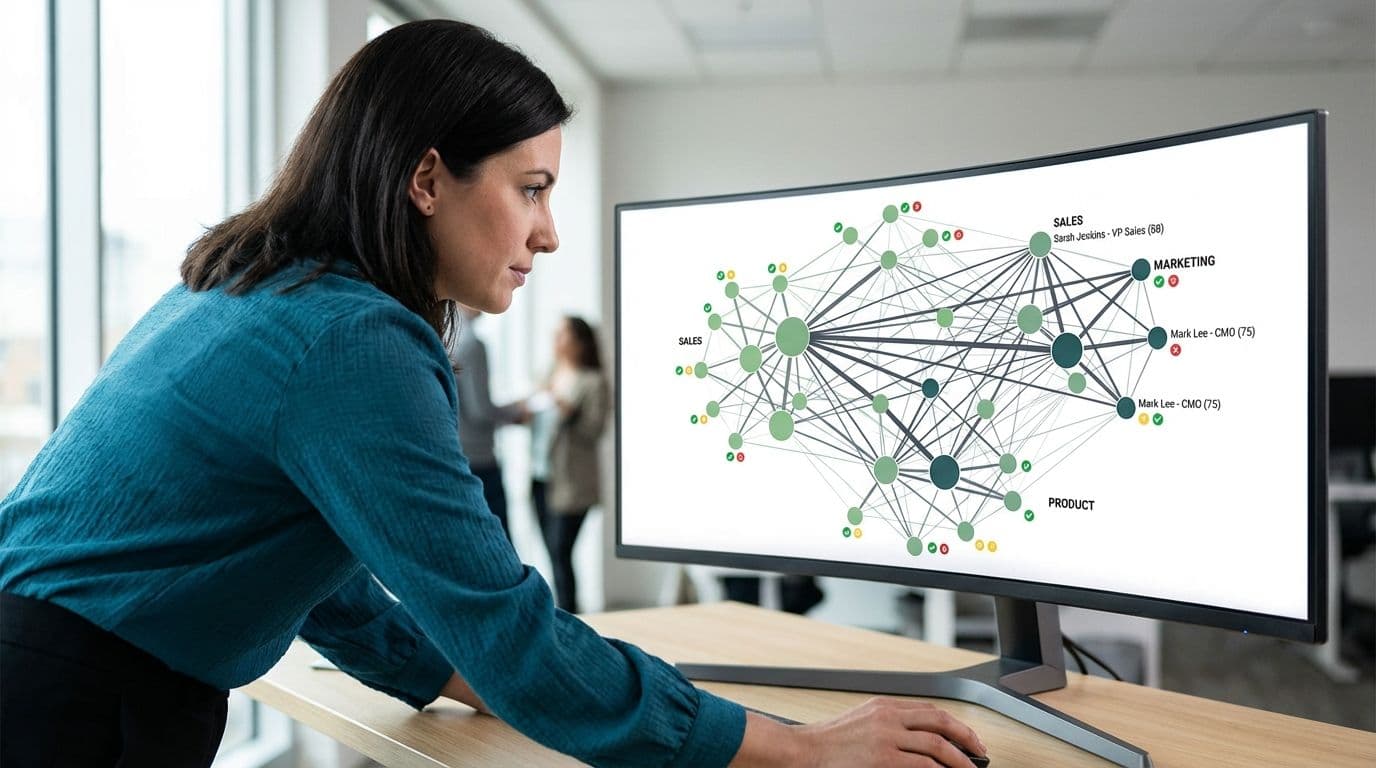
Implementation: Add fields for "Influence Level" (High/Medium/Low), "Sentiment" (Supportive/Neutral/Skeptical/Unknown), and "Veto Power" (Yes/No). For sophisticated orgs, consider relationship mapping tools that visualize influence networks.
3. Stakeholder-Specific Priorities
What to track:
- Documented priorities per stakeholder (What do they care about?)
- Concerns or objections raised
- Content/materials shared with each stakeholder
- Questions asked and answered
Why it matters: The CFO cares about ROI. The CIO cares about integration. The end users care about ease of use. If you're not tracking what each stakeholder needs to say "yes," you're leaving alignment to chance.
Implementation: Structured notes or custom fields for "Primary Priority" and "Key Concerns" per buying committee member. Log content shared and link to engagement records.
4. Engagement Trend and Velocity
What to track:
- Engagement frequency by stakeholder over time
- Response rates and response times
- Meeting attendance by stakeholder
- Content engagement (opens, clicks, downloads)
Why it matters: A stakeholder who was engaged three months ago but has gone dark is a risk. Engagement trends tell you where deals are healthy and where they're at risk—before it's too late.
Implementation: Roll up activity data by stakeholder. Create dashboards that show engagement trends over the deal lifecycle. Flag stakeholders with declining engagement.
5. Multi-Threading Health Score
What to track:
- A composite score that reflects stakeholder coverage, engagement distribution, and sentiment balance
Why it matters: You need a single metric that tells you: "Is this deal well-threaded or dangerously single-threaded?" This enables pipeline reviews to focus on risk, not just stage and close date.
Implementation: Build a calculated field or report that scores deals based on: (a) number of engaged stakeholders vs. target, (b) engagement recency across the committee, (c) presence of engaged Economic Buyer and Champion, (d) absence of unaddressed blockers.
Automating Committee Selling Operations
Manual tracking doesn't scale. Here's what to automate:
Alerts and Triggers
Alerts and Triggers
| Trigger | Action |
|---|---|
| Stakeholder unengaged for 30+ days | Notify rep and manager |
| Deal in Stage 3+ with < 4 engaged stakeholders | Flag as at-risk in pipeline review |
| Economic Buyer not engaged | Block stage advancement or require override |
| New stakeholder added | Trigger research workflow |
| Sentiment changed to "Skeptical" | Alert manager for coaching |
Data Enrichment
- Auto-link contacts to accounts: When new contacts engage, automatically associate them with the opportunity and flag for buying committee assignment.
- Enrich stakeholder profiles: Use data enrichment tools to pull in title, department, LinkedIn profile, and recent company news.
- Intent signals: Surface behavioral data (content downloads, website visits, email engagement) and attribute to specific stakeholders.
Workflow Integration
- Meeting follow-up: After meetings, prompt reps to update stakeholder records with notes on priorities, concerns, and next steps.
- Content tracking: Log which materials were shared with which stakeholders and track engagement.
- Cross-functional visibility: Ensure Marketing, Sales, and Customer Success all see the same buying committee map.
The Next Frontier: Context Engineering
Everything we've discussed so far—structured fields, dashboards, alerts—is foundational. But it's limited by what reps manually enter.
The next evolution is context engineering: an emerging discipline that dynamically assembles and delivers the right context to AI systems and humans at the right moment.
The Short Version
If prompt engineering is about asking AI the right question, context engineering is about making sure AI has the right knowledge to answer it.
For committee selling, this means:
- Synthesizing data across CRM, email, calls, and meetings automatically
- Mapping relationships and influence dynamics from unstructured conversations
- Surfacing stakeholder-specific insights at the moment of need (pre-call, email draft, pipeline review)
Example: Before a rep joins a call with the CFO, context engineering surfaces: last 3 interactions, documented priorities, objections from previous calls, and competitive intel mentioned by other committee members—all synthesized automatically, not manually assembled.
Why It Matters Here
Traditional CRM approaches fail at scale because insights are trapped in unstructured data—emails, call transcripts, Slack messages—that your systems can't query. Context engineering unlocks that data and turns it into actionable intelligence.
This is where AI becomes a force multiplier for RevOps. Research shows LLM performance varies by up to 40% based on context quality. Without good context engineering, AI-powered personalization falls flat.
Want to go deeper? Our engineering team is publishing a technical deep dive on context engineering—covering architecture patterns, implementation approaches, and how to build these capabilities into your stack. Check it out here: .
Building the RevOps Infrastructure for Committee Selling
Here's a practical roadmap:
Phase 1: Foundation (Immediate)
- Add Buying Committee tracking: Create structured fields for stakeholder role, engagement status, and sentiment on each opportunity.
- Establish multi-threading baselines: Define minimum stakeholder engagement thresholds by deal size/type.
- Build visibility dashboards: Create reports that surface single-threaded deals and engagement gaps.
Phase 2: Automation (Near-Term)
- Implement alerts: Trigger notifications when stakeholders go dark or when deals lack coverage.
- Integrate data sources: Connect email, calendar, and conversation intelligence to your CRM for unified activity tracking.
- Automate enrichment: Use data tools to populate stakeholder profiles and flag new contacts.
Phase 3: Intelligence (Strategic)
- Deploy conversation intelligence: Use platforms like Gong, Chorus, or similar to capture and analyze all customer interactions.
- Build context pipelines: Architect data flows that aggregate structured and unstructured data for AI consumption.
- Implement AI-assisted insights: Surface automated recommendations for next-best-action, stakeholder prioritization, and content personalization.
Phase 4: Context Engineering (Leading Edge)
- Real-time context assembly: Deliver synthesized stakeholder intelligence at the moment of need (pre-call, email draft, pipeline review).
- Persona-content alignment: Connect enablement materials to live deal context for dynamic recommendations.
- Continuous learning: Use engagement data to refine persona definitions, content effectiveness, and outreach strategies.
What RevOps Leaders Should Do Now
1. Audit your current visibility. Can you answer the five questions from the introduction? If not, you have a data gap.
2. Define your multi-threading standards. What's the minimum stakeholder engagement for deals at each stage? Make it explicit.
3. Build the stakeholder tracking structure. Even basic fields for role, sentiment, and last contact date are a significant upgrade.
4. Integrate your data sources. Email, calendar, and conversation data shouldn't live in silos. Connect them to your opportunity records.
5. Explore context engineering. This is where the industry is heading. Start learning about the tools and techniques—even if full implementation is down the road.
6. Partner with Sales Leadership. The coaching changes required for committee selling need operational infrastructure to support them. RevOps and Sales Leadership must be aligned.
Conclusion
Your CRM was built for a simpler era. When one or two people made buying decisions. When a linear pipeline reflected how deals actually progressed. When activity logging was enough to understand deal health.
That era is over.
Today's deals involve 10+ stakeholders with competing priorities, influence dynamics, and engagement patterns that traditional CRMs can't capture. RevOps leaders who recognize this gap—and build the infrastructure to close it—will enable their organizations to win in the age of committee selling.
The tools exist. Context engineering is emerging as a discipline. AI is making personalization at scale possible.
The question isn't whether to adapt. It's how fast.
FAQ
Q: Do I need to replace my CRM to enable committee selling?
A: No. Most organizations can extend Salesforce, HubSpot, or their existing CRM with custom objects, fields, and integrations. The goal is to layer committee-selling capabilities on top of your current system, not rip and replace.
Q: What's the minimum viable approach for tracking buying committees?
A: Start with a simple structure: for each opportunity, list the buying committee members with their role (Economic Buyer, Champion, Influencer, User, Blocker), engagement status (Engaged/Unengaged), and last contact date. Even this basic visibility is a significant improvement.
Q: How do I get reps to actually update stakeholder records?
A: Make it part of the deal review process. If stakeholder data isn't updated, the deal doesn't advance. Combine accountability with enablement—show reps how this data helps them win.
Q: Where can I learn more about context engineering?
A: Check out our technical deep dive: Context Engineering: The Technical Foundation for AI-Powered Revenue Intelligence